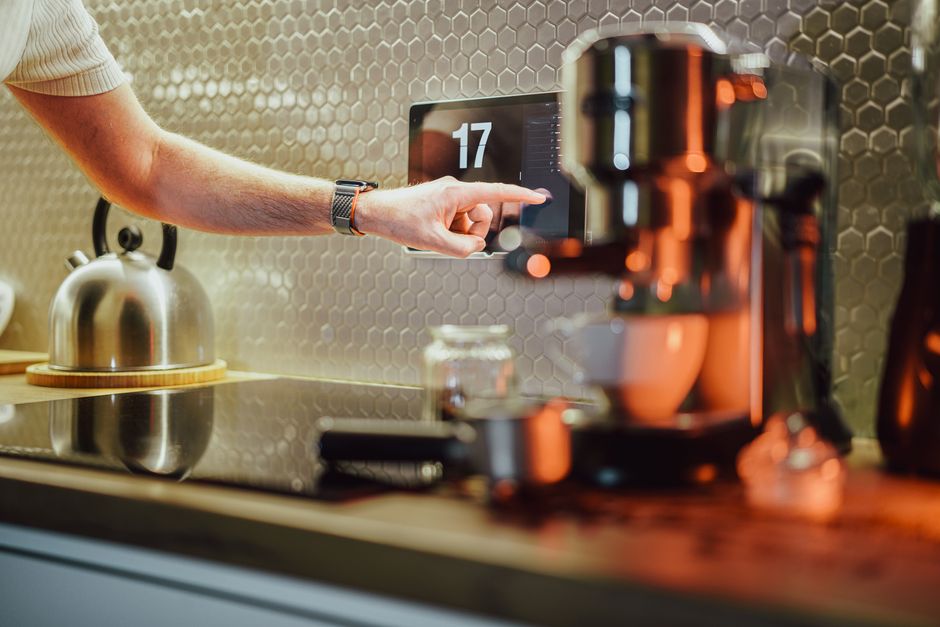
The true value of a smart home is realized when individual connected devices operate together through automated, hands-free routines. Rather than opening smartphone apps to toggle individual light switches or adjust thermostats, well-designed smart home routines execute complex multi-device actions automatically based on time schedules, room presence, geofencing triggers, or environmental sensor readings. Setting up these 10 high-value smart home routines in 2026 transforms everyday household living, maximizing personal comfort, home security, and utility energy savings.
Routine 1: The “Good Morning” Sunrise Wake-Up Routine
Transform morning wake-ups by simulating a natural sunrise environment.
– Trigger: Automated 6:45 AM weekday alarm or bed-occupancy sensor departure.
– Execution: Bedroom smart lights (Philips Hue or Kasa) gradually fade in from 1% to 100% brightness over 20 minutes, shifting from warm amber (2200K) to crisp daylight white (5000K). Smart motorized blinds (SwitchBot) open 30%, ecobee thermostat raises bedroom temperature to 70°F, and smart kitchen plug starts the coffee brewer.
Routine 2: The “Leaving Home” Geofence Departure Routine
Eliminate energy waste and secure home perimeters automatically when family members leave.
– Trigger: Smartphone geofence departure trigger when all registered family smartphones exit a 500-foot home radius.
– Execution: Smart deadbolts (Schlage/Yale) lock automatically, garage doors close, ecobee thermostat shifts to Energy Saver Away mode (78°F cooling / 62°F heating), all interior lights turn off, and Ring/Abode security system arms in “Away” mode.
Routine 3: The “Arriving Home” Welcome Routine
Provide a seamless, hands-free welcome when arriving home after dark.
– Trigger: Smartphone geofence arrival trigger after sunset.
– Execution: Entryway exterior porch lights and interior hallway lights turn on to 60% warm brightness, smart front deadbolt unlocks via Apple HomeKey proximity tap, security alarm disarms, and thermostat returns to comfortable 71°F indoor temperature.
Routine 4: The “Goodnight” Bedtime Lockdown Routine
Secure the entire property and prepare bedrooms for sleep with a single voice command.
– Trigger: Voice command (“Alexa/Siri, Goodnight”) or 10:30 PM bedtime schedule.
– Execution: Verifies and locks all exterior smart deadbolts, lowers garage doors, sets security alarm to “Stay” mode, turns off all interior main floor lighting, sets bedroom thermostat to optimal 67°F sleeping temperature, and turns on white noise machine smart plug.
Routine 5: The “Movie Time” Entertainment Scene Routine
Create an immersive home theater atmosphere for evening streaming.
– Trigger: Voice command (“Alexa/Siri, Movie Time”) or Apple TV media playback start.
– Execution: Overhead living room lights dim to 10% warm amber, Govee TV backlight lightstrip turns on at 20% blue accent brightness, window blinds close, and thermostat adjusts to quiet low-fan operation.
10 High-Value Smart Home Routines Summary Matrix
| Routine Name | Primary Trigger Mechanism | Key Automated Actions Executed | Primary Household Benefit |
|---|---|---|---|
| #1 Sunrise Wake-Up | 6:45 AM Alarm / Schedule | Fade-in lights, open blinds, start coffee | Natural wake-up & reduced alarm fatigue |
| #2 Leaving Home | Geofence Proximity Departure| Lock deadbolts, arm alarm, HVAC setback | Energy bill savings & instant security | |
| #3 Arriving Home | Geofence Proximity Arrival | Disarm alarm, unlock door, turn on lights| Hands-free entry & nighttime safety | |
| #4 Bedtime Lockdown| Voice Command / 10:30 PM | Lock all doors, set alarm Stay, 67°F HVAC| Complete overnight home perimeter security | ||
| #5 Movie Time | Voice / Apple TV Play | Dim lights to 10%, turn on TV backlight| Immersive home theater ambient lighting | |
| #6 Bathroom Humidity| Humidity Sensor > 65% | Turn on exhaust fan until humidity < 50%| Prevents bathroom mold & drywall rot | ||
| #7 Water Leak Cutoff| Water Leak Sensor Trigger | Close main water shut-off valve within 5s| Prevents thousands in plumbing flood damage | ||
| #8 Motion Nightlight| Motion Sensor (11PM – 6AM)| Turn on hallway lights to 10% amber | Glare-free late-night bathroom navigation | ||
| #9 Work From Home | 9:00 AM Weekday Schedule | Set desk lights to 5000K, start air purifier| Boosts focus & maintains indoor air quality | |
| #10 Dinner Scene | Voice Command / 6:30 PM | Dim dining lights to 40%, start music | Creates warm ambient dining environment |
Routine 6: The “Bathroom Mold Prevention” Humidity Routine
Automate bathroom ventilation to protect drywall and eliminate mold.
– Trigger: Leviton smart humidity sensor detecting relative humidity > 65% during shower.
– Execution: Turns on bathroom exhaust fan automatically, running fan until humidity drops below 50% before turning off.
Routine 7: The “Emergency Water Leak Emergency” Response Routine
Protect structural subfloors from catastrophic plumbing pipe bursts.
– Trigger: Aqara or Govee water leak sensor detecting moisture under sink or water heater.
– Execution: Moen Flo smart main valve closes main water line within 5 seconds, sends urgent push notification to all phones, and flashes hallway lights red.
Routine 8: The “Late-Night Dimmed Navigation” Routine
Navigate dark hallways overnight without blinding night vision.
– Trigger: Motion sensor detecting movement between 11:00 PM and 6:00 AM.
– Execution: Illuminates hallway and bathroom lights at a soft 10% warm amber (2200K) brightness, turning off automatically after 2 minutes of no motion.
Routine 9: The “Work From Home Focus” Routine
Optimize home office environment for daytime productivity.
– Trigger: 9:00 AM weekday schedule or office motion presence detection.
– Execution: Office desk lighting turns on at 100% crisp 5000K daylight white, smart plug turns on desktop air purifier, and smart thermostat maintains 70°F office temperature.
Routine 10: The “Dinner Time Ambient” Routine
Set a warm, relaxing atmosphere for evening family meals.
– Trigger: Voice command (“Alexa/Siri, Dinner Time”) or 6:30 PM schedule.
– Execution: Dining room overhead lights dim to 40% warm white (2700K), background LED lightstrips turn on warm accent lighting, and smart speaker plays curated ambient jazz.
Concluding Recommendation
Start automating your home today by setting up the three highest-impact routines: the “Leaving Home” geofence departure routine, the “Bedtime Lockdown” security routine, and the “Sunrise Wake-Up” bedroom routine.
Advanced Conditional Logic in Smart Home Automations
While basic time-of-day routines provide strong daily utility, advanced smart home routines incorporate multi-variable conditional logic (IFTTT-style rules with AND/OR constraints).
Conditional Routine Examples:
– Temperature & Occupancy Guard: IF living room temperature exceeds 78°F AND room motion sensor detects presence AND patio doors are confirmed CLOSED, THEN turn on air conditioning to 72°F. IF patio door opens, THEN automatically pause air conditioning to prevent energy waste.
– Security Arrival Safety: IF smart lock is unlocked via Apple HomeKey AFTER 8:00 PM AND ambient hallway light sensor measures < 10 Lux, THEN turn on hallway entry lights to 50% warm brightness.
Geofencing Accuracy Best Practices
Smartphone geofencing relies on GPS location services, cellular tower triangulation, and Wi-Fi network scanning. To ensure high geofencing reliability:
– Set Realistic Geofence Radius: Set departure geofence boundaries to 500–1,000 feet around your home to prevent false departure triggers when taking out trash.
– Enable Location Services Always: Ensure companion smart home apps are granted “Always Allow” location permissions in iOS/Android settings.
Our pick: Core Automation Triad (“Leaving Home” + “Bedtime Lockdown” + “Sunrise Wake-Up”)