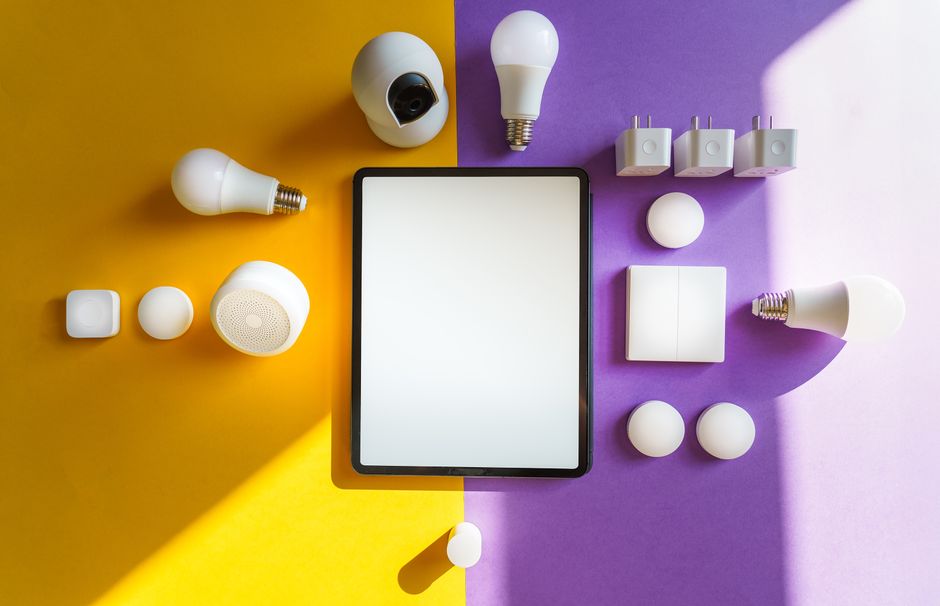
The concept of a “smart home” has transitioned from science-fiction pop culture representations into a practical, accessible residential technology reality. However, for beginners exploring smart home technology for the first time, marketing terminology—encompassing Wi-Fi, Matter, Thread, Zigbee, Z-Wave, Hubs, Bridges, and Voice Assistants—can appear overwhelming. At its core, a smart home is simply a residential living space equipped with internet-connected or locally networked hardware devices that can be monitored, controlled, and automated remotely or automatically without manual physical effort. Understanding core smart home fundamentals empowers beginners to build a reliable, budget-friendly connected home.
The Three Foundational Pillars of a Smart Home
Every functional smart home ecosystem—regardless of brand or size—is constructed on three foundational technology layers:
1. Smart End-Devices (The Execution Layer). Smart end-devices are the physical hardware accessories that perform actual household duties: smart light bulbs, smart wall switches, smart plugs, smart thermostats, video doorbells, smart deadbolts, and environmental sensors.
2. The Communication Protocol (The Network Layer). Smart devices must communicate with each other and central controllers. They send commands across wireless communication channels: Wi-Fi (for high-data video), Thread (low-power modern mesh), Zigbee/Z-Wave (proven low-power mesh), or Bluetooth.
3. Central Controller / Platform Hub (The Brains Layer). The central controller is the central brain that orchestrates automation routines, translates voice commands, and provides smartphone app controls. Primary platforms include Amazon Alexa, Google Home, Apple HomeKit, and Samsung SmartThings.
How Smart Home Automation Functions: Triggers, Conditions, and Actions
Smart home technology moves beyond remote control when devices execute automated routines based on “If-This-Then-That” conditional logic.
Anatomy of an Automated Smart Routine:
– The Trigger (WHEN): The specific event that initiates the automation routine (e.g., WHEN time reaches 10:00 PM, OR WHEN a motion sensor detects movement, OR WHEN a smartphone geofence departs the neighborhood).
– The Condition (IF): An optional filter that restricts execution (e.g., IF time is after sunset, OR IF outdoor temperature is above 75°F).
– The Action (THEN): The physical result executed by smart devices (e.g., THEN lock the front door deadbolt, turn off living room lights, and set thermostat to 68°F).
Beginner Smart Home Technology Glossary
| Smart Home Term | Plain-English Definition | Real-World Example |
|---|---|---|
| Smart Ecosystem Platform | The central software system used to control devices | Amazon Alexa, Apple HomeKit, Google Home |
| Smart Home Hub | The physical hardware controller that manages local devices | Apple TV 4K, Amazon Echo Hub, SmartThings Station |
| Matter Standard | An open universal language allowing multi-brand devices to work | A Matter plug working on both iPhone and Alexa |
| Thread Protocol | A fast, low-power wireless mesh network for smart devices | Eve Energy Thread plug responding instantly |
| Geofencing | Automating device actions based on your smartphone GPS location | Turning off lights automatically when leaving home |
The Cheapest-First Beginner Upgrade Sequence
Novice smart home builders should avoid buying complex, expensive systems immediately. Follow a disciplined three-stage upgrade sequence:
Stage 1: The $30 Entry Point (Smart Plugs). Purchase a 2-pack of Wi-Fi smart plugs (Kasa KP115 @ $20). Plug in floor lamps or coffee makers to experience voice control and automated app scheduling with zero risk.
Stage 2: The $100 Voice & Lighting Core. Add an Amazon Echo Dot 5th Gen ($35) and a 4-pack of Kasa Smart Color Bulbs ($35). Establish voice-controlled room lighting and basic morning wake-up routines.
Stage 3: The $300 Security & Climate Foundation. Upgrade to a keyless smart lock (Schlage Encode Plus or SwitchBot Lock), a video doorbell (Eufy C210), and a smart thermostat (ecobee 3 Lite).
Common Beginner Pitfalls to Avoid
Avoid three classic beginner mistakes when starting your smart home journey:
1. Buying Cheap Uncertified Wi-Fi Plugs: Buying dozens of cheap uncertified Wi-Fi plugs clogs home 2.4GHz Wi-Fi networks, causing device dropouts.
2. Mixing Incompatible Smart Platforms: Purchasing HomeKit-only devices when your family uses Android smartphones creates control frustration.
3. Forgetting Local Manual Controls: Always select smart lighting and smart locks that retain physical manual controls (wall switches, physical keys) so family members and guests can operate home controls traditionally if internet service fails.
Concluding Recommendation
Begin your smart home journey with an Amazon Echo Dot or Apple HomePod mini hub paired with Kasa smart plugs and Kasa smart color bulbs. This affordable $70 setup introduces voice control, automated scheduling, and energy savings with zero technical complexity.
Evaluating Local Processing Speed vs Cloud Latency Delays
Understanding the technical difference between local execution and cloud processing helps beginners build a fast, responsive smart home.
Cloud Processing Latency. Legacy Wi-Fi smart devices route every button press to external vendor cloud servers. When you issue a voice command (“Alexa, turn on kitchen lights”), the audio recording travels to Amazon’s cloud servers, executes PHP/JSON parsing, and sends a response back to your home router—introducing a noticeable 1 to 3-second control delay.
Local Execution Speed. Matter-over-Thread and local hub platforms (Apple HomeKit, Home Assistant, SmartThings) execute automation rules locally on your home network hub. Commands process in under 50 milliseconds, providing instantaneous light switch responses even if home internet service is offline.
Smart Home Wi-Fi Network Optimization for Beginners
A common beginner mistake is connecting dozens of cheap 2.4GHz Wi-Fi smart plugs to a basic ISP-provided router. ISP routers support a limited number of concurrent connected devices (typically 15 to 20 devices max) before experiencing network crashes. Upgrading to a Wi-Fi 6 Mesh System (eero 6+ or TP-Link Deco) supports 100+ connected smart devices effortlessly, maintaining stable home connectivity.
Understanding the Difference Between Smart Hubs and Voice Assistants
Beginners frequently confuse voice assistants (software) with smart hubs (hardware).
Voice Assistants (Software AI Engines). Amazon Alexa, Google Assistant, and Apple Siri are AI software engines that process voice commands, answer search queries, and execute automation requests.
Smart Hub Controllers (Physical Hardware). Devices like the Apple TV 4K, Samsung SmartThings Station, or Echo Hub are physical hardware controllers containing physical radio chips (Thread, Zigbee, Z-Wave, Wi-Fi) that execute local device communication.
Summary Guidelines for Building Your First Smart Home
To ensure a smooth, rewarding smart home experience:
1. Start Small: Begin with a single room and basic devices (smart plugs and smart bulbs).
2. Choose a Unified Platform: Select a platform (Alexa, Apple Home, or Google Home) that fits your family’s smartphones.
3. Prioritize Matter and Thread: Select Matter-certified devices for long-term multi-platform compatibility and local speed.
Starting with a basic $70 Echo Dot or HomePod starter kit introduces voice automation and scheduling with zero technical complexity.
Starting with a simple smart plug starter kit builds practical smart home confidence before expanding to whole-home automation.
Our pick: Amazon Echo Dot (5th Gen) + Kasa Smart Plug & Bulb Starter Kit