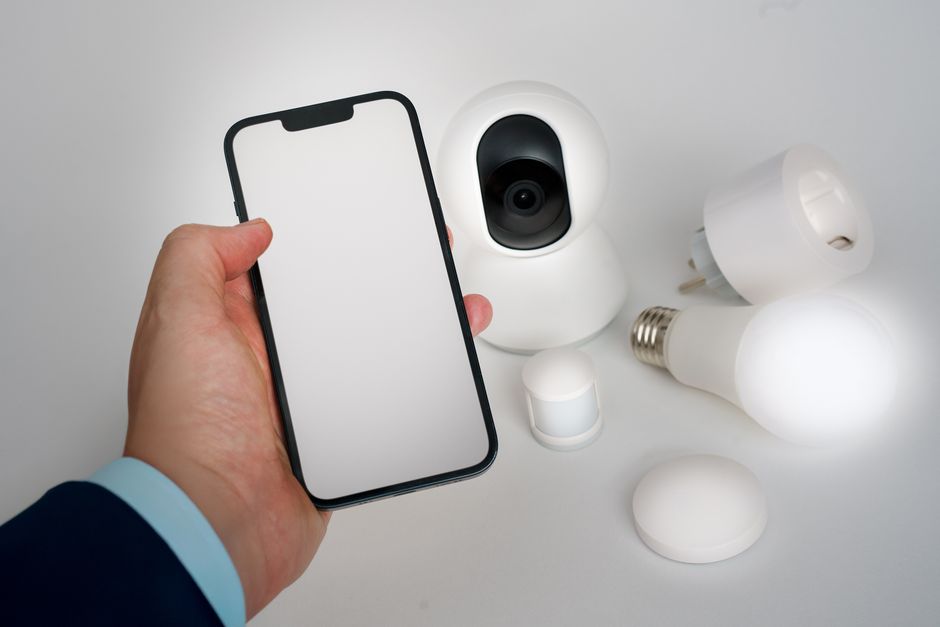
The most persistent historical frustration in home automation has been device fragmentation and inter-brand incompatibility. In early smart home iterations, a homeowner might purchase a Zigbee motion sensor, a Z-Wave light switch, a Wi-Fi smart plug, and a Bluetooth door lock—only to discover that each device required a separate proprietary hub, separate mobile app, and separate cloud account. In 2026, the smart home industry has undergone a fundamental architectural transformation driven by the unification of Matter, Thread, and multi-protocol smart hubs. Understanding how these wireless protocols, application standards, and central hubs interoperate enables site owners to build a cohesive, fast, and weather-resistant connected home.
The Wireless Protocol Spectrum: Wi-Fi vs Thread vs Zigbee vs Z-Wave
Smart home devices communicate across distinct wireless frequency bands and networking protocols, each optimized for specific operational duties.
1. Wi-Fi (2.4GHz / 5GHz / 6GHz). High-bandwidth protocol ideal for high-data video security cameras and smart displays. However, Wi-Fi smart devices consume high electrical power and congest home routers when dozens of devices are connected simultaneously.
2. Thread (802.15.4 Mesh Protocol). Low-power, IP-based wireless mesh network designed specifically for smart home accessories (sensors, plugs, locks). Thread operates independently of Wi-Fi routers, creating a self-healing mesh where mains-powered Thread devices amplify wireless signal range across the home.
3. Zigbee 3.0 & Z-Wave 800 Series. Proven low-power mesh networking protocols operating on sub-GHz (Z-Wave) and 2.4GHz (Zigbee) frequencies. Extremely reliable for battery-powered sensors and smart locks, but require dedicated local translation hubs (SmartThings, Hubitat, or Home Assistant) to communicate with IP networks.
The Matter Application Standard: Unifying the Language Layer
To understand how modern smart home devices work together, one must distinguish between the networking layer (Thread/Wi-Fi) and the application language layer (Matter).
How Matter Works. Matter is an open-source application protocol created by the Connectivity Standards Alliance (CSA). Matter acts as a universal translator sitting on top of Thread, Wi-Fi, or Ethernet transport layers. When a device is Matter-certified, it speaks an identical control language regardless of manufacturer.
The Multi-Admin Control Revolution. Matter’s defining feature is “Multi-Admin.” Multi-Admin allows a single Matter accessory (e.g., Eve Energy Thread plug) to be paired simultaneously to multiple platform controllers. The plug can be controlled locally via Apple Home on an iPhone, Amazon Alexa on an Echo Show, and Google Home on a Nest Hub—eliminating single-ecosystem vendor lock-in.
The Role of Smart Home Hubs and Thread Border Routers
Connecting low-power mesh devices to home IP networks requires central hub infrastructure.
Thread Border Routers. A Thread Border Router acts as a bridge between a low-power Thread mesh network and your primary home Wi-Fi/Ethernet network. Modern smart home hubs (Apple TV 4K, HomePod 2, Amazon Echo Hub, Samsung SmartThings Station) contain built-in Thread Border Routers, operating automatically in the background.
Multi-Protocol Local Hubs. For homes utilizing legacy Zigbee or Z-Wave sensors alongside modern Matter devices, multi-protocol hubs (SmartThings v3, Hubitat Elevation C-8, or Home Assistant Yellow) contain physical Zigbee, Z-Wave, Thread, and Bluetooth radios, translating all protocols into a single unified automation dashboard.
Smart Home Protocol Architecture Matrix
| Protocol Layer | Network Type | Power Draw | Primary Devices Used For | Cross-Platform Interoperability |
|---|---|---|---|---|
| Matter-over-Thread | Low-Power IP Mesh | Ultra-Low (Battery Friendly)| Plugs, Switches, Sensors, Locks | Universal (Apple, Alexa, Google, SmartThings) | |
| Matter-over-Wi-Fi | High-Bandwidth IP Network | High (Mains Power Required) | Thermostats, Appliances, Displays| Universal (Apple, Alexa, Google, SmartThings) | |
| Legacy Z-Wave 800 | Sub-GHz Proprietary Mesh | Ultra-Low (Battery Friendly)| Smart Deadbolts, Contact Sensors | Requires Z-Wave Hub Translation | |
| Legacy Zigbee 3.0 | 2.4GHz Open Mesh | Ultra-Low (Battery Friendly)| Motion Sensors, Smart Bulbs | Requires Zigbee Hub Translation |
Designing a Resilient Multi-Protocol Smart Home Network
To ensure all smart home devices operate seamlessly together without latency delays:
1. Establish a Strong Thread Mesh: Deploy 2 to 3 mains-powered Thread smart plugs (Eve Energy or Onvis) in central hallways to form a high-density Thread mesh backbone.
2. Select a Multi-Protocol Hub: Choose a central hub (Apple TV 4K or Echo Hub) that functions as a native Thread Border Router and Matter Controller.
3. Hardwire High-Bandwidth Devices: Connect video security cameras and smart displays via Ethernet or 5GHz Wi-Fi, leaving 2.4GHz frequencies clear for legacy smart devices.
Concluding Recommendation
Build a seamless, multi-brand smart home ecosystem by standardizing on Matter-over-Thread hardware (Eve Energy, Schlage Encode Plus, Nanoleaf Matter lighting) controlled by a central Thread Border Router hub like the Apple TV 4K or Amazon Echo Hub.
Understanding the Role of Bluetooth Low Energy (BLE) in Matter Commissioning
While Thread and Wi-Fi handle ongoing operational data communication between smart devices and hubs, Bluetooth Low Energy (BLE) plays an essential role during initial device setup (“commissioning”).
How Matter Setup Operates via BLE:
1. QR Code Scan: Opening a Matter-compliant app (Apple Home, Alexa, Google Home) and scanning the Matter QR code on a new accessory initiates a secure local BLE connection.
2. Thread Credentials Pass-Through: The hub passes local Wi-Fi or Thread network encryption keys to the new accessory over BLE.
3. Thread Mesh Handshake: Once credentials are passed, the accessory disconnects BLE and joins the local Thread or Wi-Fi mesh network permanently.
The Importance of Battery-Powered Thread End-Devices
Battery-powered Thread devices (such as Eve Door & Window contact sensors or Eve Motion sensors) operate as Thread “Minimal End Devices” (MEDs) or “Sleepy End Devices” (SEDs). They remain in deep low-power sleep modes until triggered, consuming micro-amps of power and achieving 1 to 2 years of battery life on a single coin-cell battery.
Thread Network Topology: Routers vs End Devices
Understanding Thread network topology helps optimize wireless stability across large homes.
– Thread Border Routers (Apple TV 4K, Echo Hub): Bridge the Thread mesh network to primary home Wi-Fi/Ethernet networks.
– Thread Router Nodes (Mains-Powered Plugs): Mains-powered Thread accessories (Eve Energy smart plugs, In-wall Thread switches) function as active repeater nodes, extending wireless Thread mesh coverage.
– Thread End Devices (Battery Sensors): Battery-powered Thread devices (contact sensors, motion detectors) operate as leaf nodes, communicating with nearby Thread Router Nodes while consuming minimal battery power.
Evaluating Protocol Migration Strategies for Legacy Smart Homes
When updating an older smart home setup containing legacy Wi-Fi or Bluetooth devices, adopt a gradual protocol migration strategy. Replacing high-traffic smart plugs and lighting switches with modern Matter-over-Thread devices establishes a strong Thread mesh backbone while allowing legacy Wi-Fi accessories to remain active until hardware replacement becomes necessary.
Finally, standardizing your smart home on Matter-over-Thread hardware ensures fast local responsiveness, multi-admin platform support, and long-term device durability.
Standardizing on Thread and Matter ensures your smart home network remains fast, resilient, and future-proof.
Our pick: Matter-over-Thread Architecture (Apple TV 4K / Echo Hub + Thread Accessories)