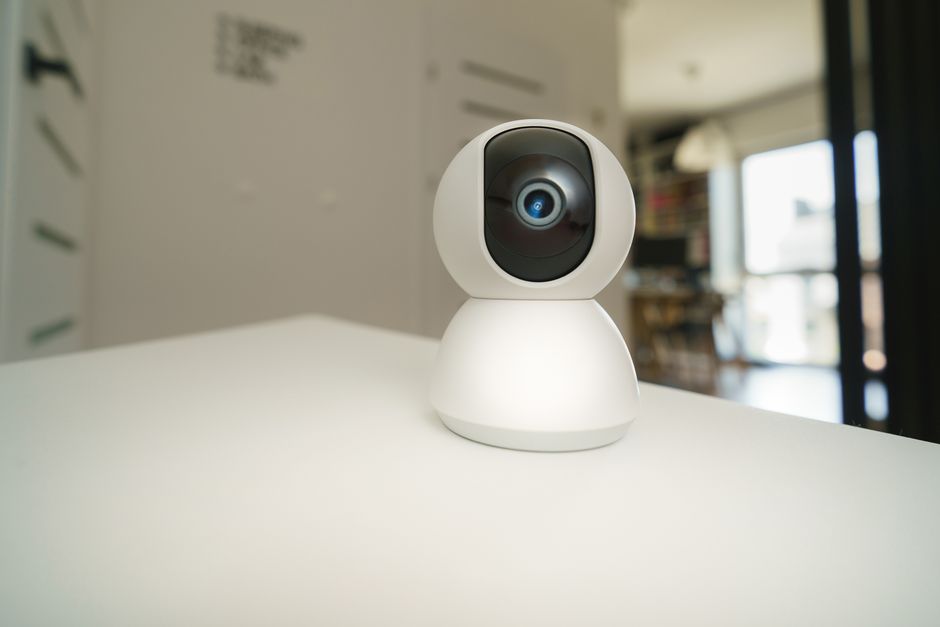
Maintaining digital privacy and cybersecurity in 2026 requires taking proactive measures to secure connected smart home infrastructure. As homes become populated with connected smart speakers, video security cameras, smart locks, and IoT sensors, the potential attack surface for data harvesting, unauthorized video access, and network intrusions expands. While smart home technology offers immense daily convenience, unencrypted cloud video feeds, weak default router passwords, and invasive voice assistant data collection pose real privacy risks. Homeowners can implement practical, enterprise-grade privacy protections to isolate smart devices, prevent data leaks, and secure personal home networks.
Understanding Real Smart Home Privacy Risks
Evaluating smart home privacy requires separating realistic cybersecurity threats from exaggerated media panic.
Primary Privacy & Security Risk Vectors:
1. Unencrypted Cloud Video Feeds: Insecure cloud camera systems that transmit unencrypted video streams over the open internet expose private indoor video feeds to hacking or unauthorized third-party access.
2. Incomplete Data Sanitization on Resold Devices: Selling or discarding old smart hubs, smart plugs, or cameras without executing full factory hard resets leaves Wi-Fi passwords and account tokens stored in local device flash memory.
3. Network Lateral Movement via Compromised IoT Devices: Hackers compromising an inexpensive, un-updated Wi-Fi smart plug can use that compromised device as a bridge head to scan your local network, targeting unencrypted laptops or network-attached storage (NAS) drives.
4. Voice Assistant Audio Recording Retention: Cloud voice platforms (Alexa, Google Assistant) record and store audio snippets on cloud servers for AI training, which can be reviewed by human contractors unless opt-out settings are enabled.
Network Segmentation: Isolating IoT Devices on a Dedicated Guest VLAN
The single most effective cybersecurity step for any smart home is isolating all IoT accessories onto a separate Virtual Local Area Network (VLAN) or dedicated Guest Wi-Fi Network.
Why Network Segmentation Works. Most modern Wi-Fi 6 mesh routers (ero, TP-Link Deco, ASUS, Netgear Orbi) allow creating a secondary Guest Wi-Fi network with “Device Isolation” enabled. Connecting all smart plugs, smart bulbs, cameras, and hubs to the Guest network prevents a compromised smart plug from accessing primary family laptops, smartphones, or financial files connected to the main Wi-Fi network.
Step-by-Step IoT Network Isolation Setup:
1. Access Router Settings: Log into your router admin dashboard via web browser or mobile app.
2. Enable Guest Network: Create a dedicated 2.4GHz Guest Wi-Fi network named `Home-IoT`.
3. Enable Device Isolation: Toggle on “Client Isolation” or “Access Restriction” so Guest network devices cannot communicate with each other or main network devices.
4. Reconnect IoT Hardware: Migrate all smart plugs, bulbs, cameras, and hubs to the isolated `Home-IoT` network.
Camera Privacy Features: Physical Shutters, Local Storage, and Local Processing
Security cameras placed inside living spaces require physical and local network privacy protections.
Physical Privacy Shutters. Choose indoor cameras equipped with physical motorized privacy shutters (such as the TP-Link Tapo C225 or Eufy Indoor Cam). When set to “Home” mode or disarmed, physical shutters cover the camera lens and electronically disconnect internal microphones, providing absolute visual privacy.
Local Processing and Zero-Cloud Architectures. Selecting cameras that process video and AI detection locally (Eufy HomeBase 3 or Reolink NVR) keeps video footage stored on encrypted local hard drives inside your home, eliminating cloud data breach risks.
Smart Home Privacy & Security Protection Matrix
| Privacy Risk Vector | Vulnerability Level | Recommended Protection Action | Primary Privacy Benefit |
|---|---|---|---|
| Invasive Cloud Video Feeds | High (Cloud Breaches) | Deploy Local Storage NVR / Eufy HomeBase 3 | Keeps video footage 100% inside your home |
| IoT Network Lateral Attack | High (Unpatched IoT) | Isolate IoT devices on dedicated Guest VLAN | Prevents compromised IoT from reaching laptops |
| Voice Recording Retention | Moderate (Cloud Storage)| Opt out of voice storage in Alexa/Google apps| Deletes voice recordings from cloud servers | ||
| Router Password Brute-Force | High (Weak Passwords) | Change default router admin login & WPA3 key| Blocks unauthorized network intrusion | |
| Smart Lock Token Hijacking| Moderate (Bluetooth) | Use Matter-over-Thread / Encrypted Z-Wave | Encrypts keyless door unlocking commands |
Voice Assistant Privacy Settings and Audio Opt-Outs
Take control of voice assistant data collection by adjusting privacy toggles inside companion apps:
– Amazon Alexa Privacy Settings: Open Alexa App -> Settings -> Alexa Privacy -> “Manage Your Alexa Data” -> Toggle OFF “Use Voice Recordings to Improve Alexa Services” and set “Save Voice Recordings” to “Don’t Save Recordings.”
– Google Assistant Privacy Settings: Open Google Home App -> Settings -> Privacy Controls -> Toggle OFF “Include Audio Recordings” under Web & App Activity.
– Apple Siri Privacy Protections: Apple processes Siri requests locally on Apple TV/HomePod hubs over Thread, assigning randomized identifiers rather than linking requests to Apple ID accounts.
Factory Reset Protocols Before Discarding Hardware
Before selling, donating, or recycling any smart home device, execute a full hardware factory reset. Press and hold the physical reset button on the device for 10 to 15 seconds until status LEDs flash red, wiping stored Wi-Fi credentials, encryption keys, and account binding tokens from local device memory.
Concluding Recommendation
Protect your smart home privacy by creating an isolated Guest Wi-Fi network for all IoT devices, opting out of voice recording storage in Alexa/Google apps, and deploying local storage security cameras (Eufy HomeBase 3 or Reolink NVR) with physical privacy shutters.
Firmware Security Updates and Router Firewall Rules
Securing smart home infrastructure requires active router-level firewall management and software maintenance.
Enabling WPA3 Wireless Encryption. Ensure your home Wi-Fi mesh router uses WPA3-Personal or WPA2/WPA3 Mixed wireless encryption. WPA3 replaces vulnerable WPA2 handshake authentication protocols, protecting Wi-Fi passwords from brute-force offline dictionary attacks.
Disabling Universal Plug and Play (UPnP). Disable UPnP (Universal Plug and Play) inside your router admin settings. UPnP allows unauthenticated local smart devices to open external firewall ports automatically, creating potential backdoors for external hackers to access local network devices.
Auditing Smart Home App Permissions on Mobile Devices
Review mobile app permission settings annually on iOS and Android smartphones. Smart home companion apps do not require continuous access to your mobile contacts, camera, or precise location unless explicitly needed for geofencing or video viewing. Revoking unnecessary mobile app permissions protects personal smartphone privacy.
Evaluating Home Assistant for Complete Local Data Sovereignty
For homeowners seeking absolute data privacy, migrating smart home management to Home Assistant running on local hardware (Home Assistant Green or local mini-PC) provides 100% local data sovereignty. Home Assistant stores all device logs, automation rules, and camera recordings locally inside your home, operating completely independent of external cloud servers or third-party corporate data policies.
Finally, isolating all smart home devices onto a dedicated Guest VLAN network and deploying local storage security cameras ensures complete personal privacy and data security inside your connected home.
Our pick: IoT Network Guest VLAN Isolation + Local Storage Camera Architecture
Related: vpn service guide