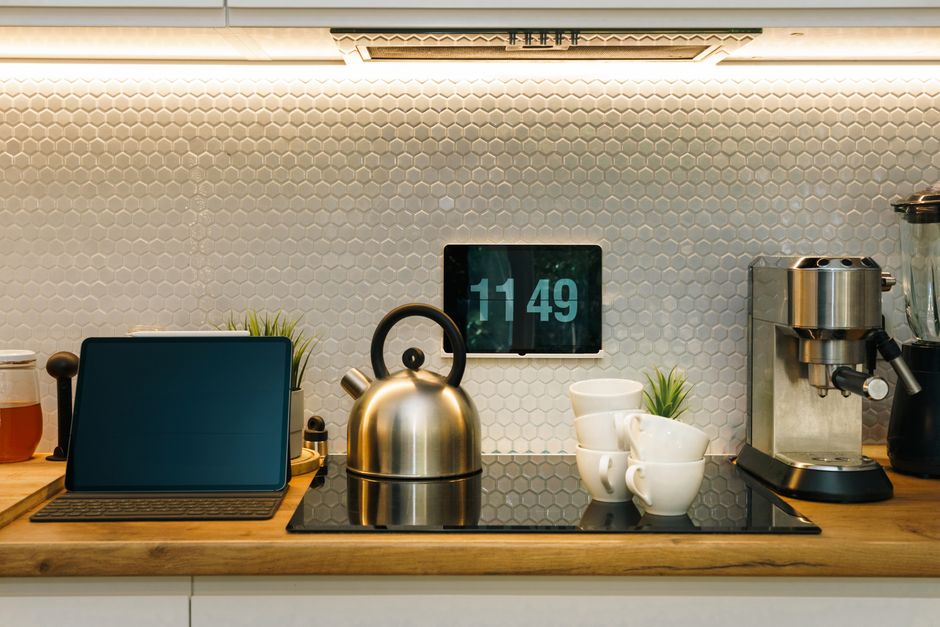
A useful smart kitchen keeps recipes visible, makes repeatable coffee, and warns about water before cabinets or floors are damaged. Those jobs require different hardware: a display, a precision brewer, and sensors or a main-line shutoff.
For most households, combine an Echo Show 15 (2nd Gen) for recipes, a Fellow Aiden for coffee, and Moen Smart Leak Detectors under the sink and dishwasher. Add a Moen Flo Shutoff when automatic protection is justified. Samsung’s Bespoke AI Family Hub is impressive, but not a reason by itself to replace a refrigerator.
Quick comparison
| Device | Primary job | Key specification | Typical cost | Important limitation |
|---|---|---|---|---|
| Echo Show 15 (2nd Gen) | Recipes and timers | 15.6-inch 1080p display, 13 MP camera | Check current price | Requires Amazon services |
| Samsung Bespoke AI Family Hub | Ingredient and recipe help | 32-inch display; Gemini-enhanced AI Vision | Check model price | Expensive and model-dependent |
| Fellow Aiden | Precision coffee | 1.5 L, 1,700 W, two basket styles | About $400 new | Premium price |
| Moen Smart Leak Detector | Local water alerts | Leak, humidity, temperature, and battery alerts | Check current price | Cannot stop water alone |
| Moen Flo Shutoff | Whole-home protection | Flow, pressure, temperature, MicroLeak tests | Device plus installation | Requires plumbing work |
Prices vary by promotion, region, plumbing size, and installation. Confirm the exact model number before ordering; product families often contain older hardware with similar names.
Recipes: Echo Show 15 is the sensible default
The second-generation Echo Show 15 fits a kitchen better than a small countertop display. Its 15.6-inch Full HD panel can show recipe steps from several feet away, and the 13-megapixel camera has a physical cover. It supports Fire TV, Alexa, customizable widgets, timers, shopping lists, music, and video calls. Wi-Fi 6E support is useful in a congested home, although it does not compensate for a weak signal behind masonry or metal appliances.
Setup that works in a real kitchen
- Choose a position outside the sink splash zone and away from direct cooktop heat. Check that the power cable reaches without crossing a work surface.
- Mount the display into studs or use anchors rated for the wall material and device weight. Leave space to remove it from the bracket.
- Join the home Wi-Fi network, sign in to the Amazon account, install updates, and create separate Alexa profiles if several people will use calendars or shopping lists.
- Add only the widgets you need—calendar, shopping list, weather, and smart-home favorites keep the home screen readable.
- Test a recipe, a hands-free timer, and the microphone mute and camera-cover controls before cooking.
Best for: renters or owners who want a replaceable kitchen command center. Not ideal for: households that avoid Amazon accounts, want an entirely local system, or dislike recommendation-heavy screens.
Echo Show troubleshooting
If Alexa cannot hear over an extractor fan, move the display closer to the prep area rather than increasing speaker volume. For video buffering, test the 5 GHz or 6 GHz network at the mounting point; metal refrigerators can block a signal that looks strong elsewhere. If a recipe service stops responding, open it once on screen and relink its Alexa skill. A frozen interface usually warrants a normal restart before a factory reset, which erases profiles and preferences.
Samsung Family Hub: powerful, expensive, and model-dependent
Samsung’s 2026 Bespoke AI Family Hub integrates a 32-inch display with Gemini-enhanced AI Vision on supported models. Cameras can update a food list as items move through the refrigerator. FoodNote summarizes ingredients, Trending Recipes surfaces videos, and “What’s for Today?” suggests meals.
Containers can hide food, similar ingredients can be confused, and availability varies by country, model, and software. Treat the food list as a draft and correct it manually. The 2026 rollout is phased across selected 32-inch Family Hub models and some 9-inch AI Home devices.
Setup and ownership reality
Connect the refrigerator through SmartThings, sign in with a Samsung account, install all over-the-network updates, and enable AI Vision only after reviewing its privacy settings. Add several clearly identifiable items one at a time, confirm them in the food list, then test a recipe recommendation based on those entries. If ingredients are missed, clean the interior camera area, improve lighting, and verify that the item passed through the camera’s field of view. Do not factory-reset the refrigerator merely to fix a stale list; restart SmartThings and check service status first.
Best for: a household already replacing a premium refrigerator and willing to maintain the digital inventory. Not ideal for: anyone choosing between a functioning refrigerator and a screen. Refrigeration performance, dimensions, door clearance, service coverage, and energy use should decide the purchase before AI features.
Coffee: Fellow Aiden delivers measurable control
The Fellow Aiden handles a single cup or 1.5-liter carafe, uses a 1,700-watt heater, and includes cone and flat-bottom baskets. Its app schedules brews, edits profiles, updates firmware, and syncs selected Fellow Drops profiles. At roughly $399.95 new, it competes with premium drip machines.
First setup and a reliable baseline
- Wash the removable basket, carafe, and water-contact parts according to Fellow’s instructions; run the recommended initial rinse cycle.
- Install the Aiden app, pair the brewer, and complete any firmware update before scheduling a brew.
- Select the correct basket and paper filter: Melitta #2-style cone filters fit the cone basket, while common 8–12 cup basket filters fit the flat-bottom basket.
- Start with freshly ground coffee and the brewer’s guided profile. Weigh coffee and water for repeatability instead of relying on a different scoop each morning.
- Change one variable at a time—grind size before temperature or bloom—to avoid losing track of what improved the cup.
For sour coffee, grind finer; for harsh, drying coffee, grind coarser. Overflow usually means too-fine or excessive coffee, a folded filter, or the wrong basket setting. A missed schedule often traces to an empty reservoir, absent carafe, lost Wi-Fi, or wrong time zone. Descale when prompted and avoid extremely hard or distilled water.
Best for: households that brew different coffees and value repeatable pour-over-style control. Not ideal for: espresso drinkers or someone satisfied with a low-cost drip maker and pre-ground coffee.
Leak alerts: start at the appliance, then protect the main line
Place sensors beneath the sink trap, beside the dishwasher supply, and under the refrigerator water line. A Moen Smart Leak Detector reports water, temperature, humidity, and battery conditions. Multiple detectors can share a home profile and trigger a paired Flo system to close the main valve.
Create the home in the Moen app, add and power the detector, select 2.4 GHz Wi-Fi, and name it by location. Put its sensing surface at the lowest point, test with a damp cloth, and confirm notifications on every responsible adult’s phone. If pairing fails, move nearer the router, confirm 2.4 GHz availability, and hard-reset before retrying. A silent test suggests the wrong contact point, disabled notifications, or an installed battery tab.
The Moen Flo Shutoff goes on the cold main supply after the manual shutoff and pressure-reducing valve, but before branches. Never install it on fire suppression or hot-water distribution. A licensed plumber should size it, inspect pressurized unions, and keep it accessible; overtightening polymer union nuts can cause damage.
After pairing, Flo learns normal household use and monitors flow, pressure, and temperature. Its nightly MicroLeak test briefly closes the valve and watches pressure; water use can interrupt the test. Run a manual test when nobody is using water, verify the app can close and reopen the valve, and teach everyone where the physical control is. If flow reads zero while a tap is open, plumbing debris may be obstructing the turbine sensor and a professional inspection is safer than repeated recalibration.
Final recommendation
Build in layers: an Echo Show 15 for visible recipes, a Fellow Aiden only for daily precision coffee, and tested detectors at every kitchen water connection. Add a professionally installed Moen Flo Shutoff for automatic protection. Consider Family Hub only during a planned refrigerator replacement.